How to use Plyxl
Written by Mitch Crevier and Aarush Bhardwaj
6 min read
TL;DR
Using Plyxl takes three steps: connect the tools your business already runs on with one sign-in each, describe the app or automation you want in plain language, and approve it before it runs. Nothing is migrated, and the agent asks before it sends or changes anything.
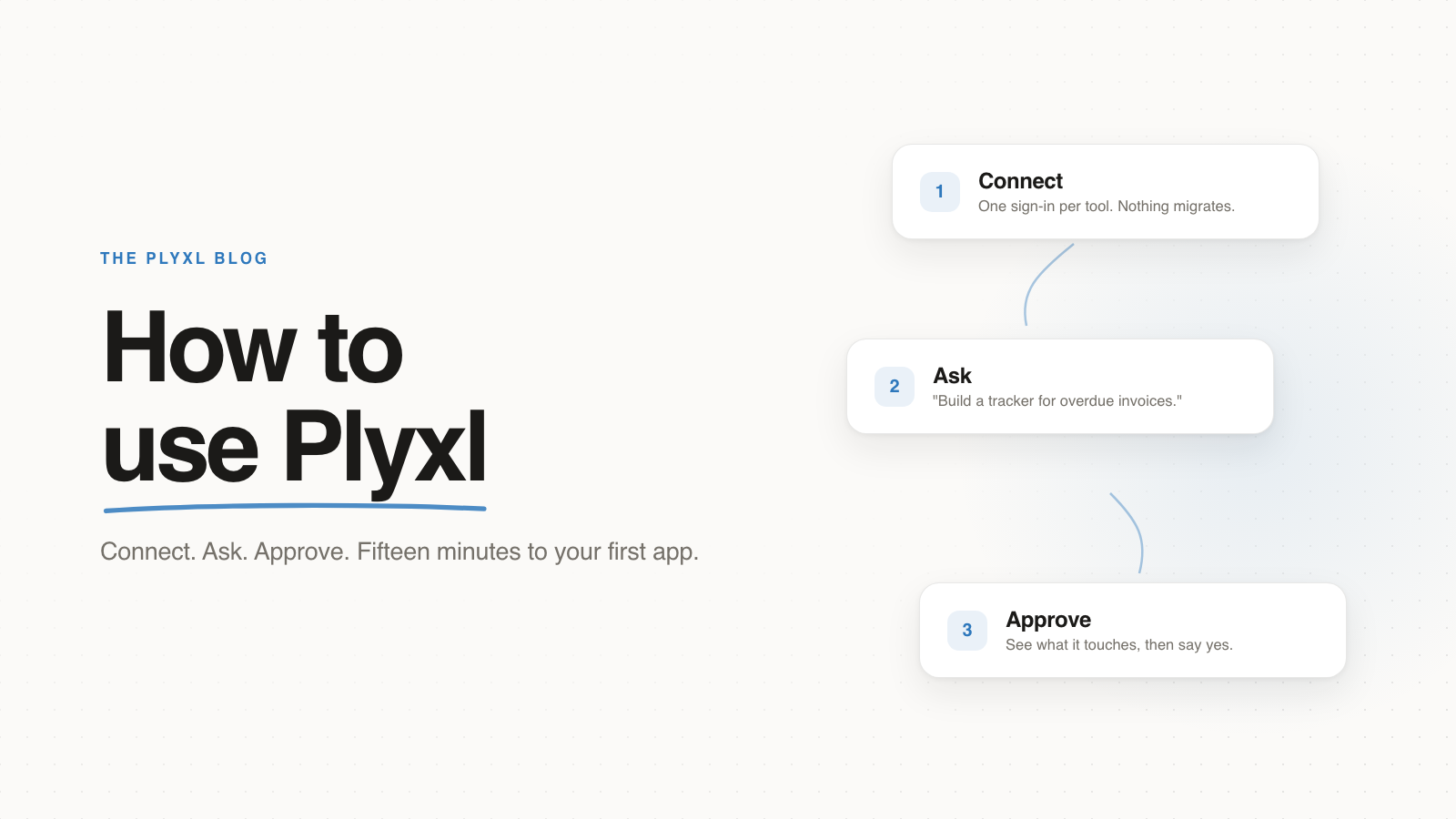
Using Plyxl takes three steps: connect the tools your business already runs on, describe the software you wish you had, and approve what Plyxl builds before it runs. There is no data migration and no setup project. Most businesses connect their first tool and have their first working app inside fifteen minutes.
This guide walks through each step the way a business owner would actually meet it, plus what to build first and what to expect from the agent.
What is Plyxl?
Plyxl is a business workspace: it connects to the software a business already uses, such as QuickBooks, Gmail, Google Calendar, and Excel, and builds custom apps, automations, and an AI agent on top of them. Your existing tools keep doing their jobs and your data stays where it lives. What Plyxl replaces is the gap between those tools: the retyping, the status spreadsheets, and the software you always wanted but could never justify building.
How do you set up Plyxl?
Setting up Plyxl is signing in and connecting one tool, which takes about two minutes:
- Start a workspace at plyxl.com with your work email or Google account. The workspace is your business's, and you invite teammates to it with a link.
- Open Connections and pick a tool. Connecting is the same OAuth screen you have clicked a hundred times: choose the tool, sign in, done. An admin can connect a tool for the whole team in one press, so nobody else has to do anything.
- Start with the tool where your pain lives. For most service businesses that is QuickBooks or Gmail; for a bookkeeping firm it is QuickBooks; if scheduling is the mess, connect Google Calendar first.
There is no import step after connecting. Plyxl reads what it needs when it needs it, with your permission attached to every reach.
How do you build your first app in Plyxl?
You build an app in Plyxl by typing a sentence into the bar on the home screen and describing what you want, the way you would brief a person. For example: "Build a dispatch board for tomorrow's jobs," or "A tracker for which clients still owe us documents."
Plyxl builds a working app on your real data in about a minute. Before it goes anywhere, you see a plain map of what the app looks at and what it can change, and you approve it. After you approve, the app lands on your Home screen, where your whole team can open it. If you want it different, say so in the same conversation: "make the overdue ones red" is a valid instruction.
What should you build first?
Build the thing you currently track in your messiest spreadsheet, because that is where the payoff is fastest and the before-and-after is clearest:
- A service business (HVAC, plumbing, landscaping): a dispatch board for tomorrow's jobs, a van stock tracker, or an overdue-invoice chaser.
- A bookkeeping or accounting firm: a client status tracker, a missing-documents chaser, or a month-end close board on top of QuickBooks.
- A retail or e-commerce business: a reorder tracker, or a returns log connected to Shopify.
- Any business: "Show me everything happening today" as a morning dashboard across email, calendar, and your books.
The pattern behind all of these: the person who runs the process describes it, and the software comes out shaped like the process, not the other way around.
What does using Plyxl look like in practice?
In practice, a first week with Plyxl is one connection, one app, and one automation. Here is that week for a typical eight-person bookkeeping firm, an example rather than a specific customer:
- Tuesday, 2:00pm. A partner starts a workspace and connects QuickBooks Online for the whole firm: one sign-in, no import step. Total time so far: about five minutes.
- Tuesday, 2:10pm. She types into the bar: "A tracker showing every client, where their month-end close stands, and what documents we're still waiting on." Plyxl builds it on the firm's real client list, shows her it reads QuickBooks and changes nothing, and she approves it. The tracker lands on Home, where the whole team can open it.
- Wednesday. A junior bookkeeper, not the partner, asks for a change: "add a column for who owns each client." It appears in the same conversation, and everyone gets the new version at once.
- Friday. The partner adds the automation: "Every Monday, email clients who still owe us documents, and show me the drafts first." From then on, Monday morning is reviewing five drafted emails instead of writing them from a spreadsheet.
The master spreadsheet only one partner understood is retired by the end of the week, and nothing about QuickBooks, Gmail, or the firm's process had to change to get there.
How do automations work in Plyxl?
An automation in Plyxl is repeating work you describe once and never do again: when something happens, do the thing. "When a form comes in, create the customer and send the welcome email." "When an invoice goes two weeks overdue, draft the reminder." You describe it in the same bar you build apps in, approve what it will touch, and it runs from then on, including at 3am.
Every run is recorded in the activity log with everything else that happens in the workspace, and anything reversible has undo next to it. An automation never gains reach you did not approve: if a new version needs to touch more, it asks again.
What does the Plyxl agent do?
The Plyxl agent is a teammate that can see across every connected tool and do work you hand it. You can ask it questions ("did anything come in from the Hendricks job?"), give it standing jobs ("chase every invoice over 14 days, weekly"), or let it prepare a morning briefing before you open your inbox. It asks before it sends or changes anything on your behalf: an email it wants to send is shown to you first.
The difference between the agent and a chatbot is that the agent holds approved, standing access to your business systems and remembers the work it is doing. A chat assistant answers a question and forgets; the agent runs the job every week and reports back.
Why use Plyxl instead of buying software or hiring a developer?
Plyxl replaces the choice between generic software and expensive custom software with a third option: software shaped exactly like your business, built in minutes, on top of the systems you already trust. Off-the-shelf tools make your business bend to fit them. Custom development fits, but costs tens of thousands of dollars and months, and breaks when your process changes. In Plyxl, when the process changes, you say so and the software changes with it.
The deeper reason is who gets to build. The office manager who has run dispatch for eight years knows what the dispatch board needs. In Plyxl, that person builds it. For the full argument, read What is a business workspace?
Plyxl is a business workspace: connect the tools your business runs on, then build the software you need on top. It is free to start: connect one tool, bring your messiest spreadsheet, and ask for the first thing you wish existed.