What apps can a small accounting firm build without a developer?
Written by Mitch Crevier and Aarush Bhardwaj
7 min read
TL;DR
A small accounting or bookkeeping firm can build four apps without a developer: a client status tracker, a missing-documents chaser, a month-end close board, and a client onboarding checklist. Each one replaces a spreadsheet the firm already keeps beside its practice-management tool, and each can be built from a one-sentence description on top of QuickBooks Online or Xero and the firm inbox, in a business workspace, without migrating anything.
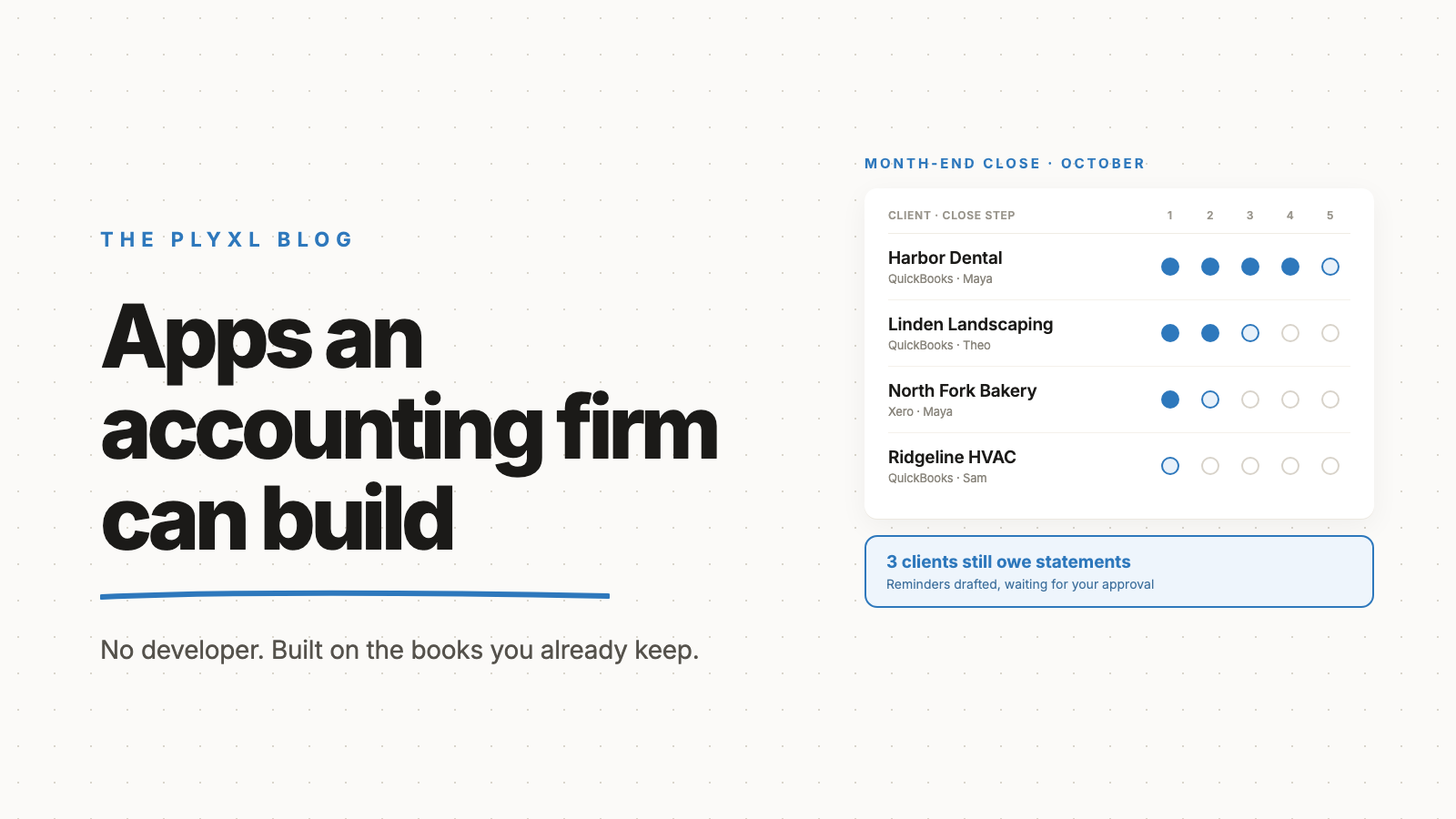
A small accounting firm can build four useful apps without a developer: a client status tracker, a missing-documents chaser, a month-end close board, and a client onboarding checklist. Each one replaces a spreadsheet the firm already keeps beside QuickBooks Online, Xero, or its practice-management tool. In a business workspace, each can be built from a single sentence on top of the books and the inbox the firm already uses, with nothing migrated.
This post covers what each app does, what it is built from, and how a small firm decides which to build first.
Why do accounting firms end up running on spreadsheets?
Accounting firms end up running on spreadsheets because no practice-management tool fits exactly how a given firm works, and the gap gets filled by whoever on staff is best at Excel. Karbon, Financial Cents, and TaxDome cover workflow and deadlines well. Most firms still keep a sheet next to them for the client-by-client view the partners actually look at: whose books are closed, who still owes a bank statement, which new client is halfway through onboarding.
That sheet works until it doesn't. It goes stale when its owner is out, two people edit it at once during the close, and it can't read QuickBooks or the inbox, so every status update is typed in by hand. The real cost of SaaS sprawl post explains why this retyping layer costs more than any subscription on the bill.
What are the apps a small accounting firm can build?
The four apps that matter most to a small firm are a client status tracker, a missing-documents chaser, a month-end close board, and an onboarding checklist. Each one is built on data the firm already has.
| App | What it replaces | Built from | What it shows |
|---|---|---|---|
| Client status tracker | The master client spreadsheet | QuickBooks Online or Xero client files | Every client, their service, last reconciliation date, and owner on staff |
| Missing-documents chaser | Manual "just following up" emails | The firm inbox plus a list of what each client owes | Who hasn't sent what, how long it has been, and a drafted reminder for each |
| Month-end close board | A close checklist per client in Excel | QuickBooks Online or Xero, plus the firm's close steps | Each client's close progress, step by step, across the whole book |
| Onboarding checklist | An emailed checklist and memory | The inbox and the firm's onboarding steps | Each new client's progress from engagement letter to first close |
Each one starts from a sentence. "Show every QuickBooks client with the date their bank accounts were last reconciled, sorted oldest first" is a complete description of the first version of a client status tracker.
How does a missing-documents chaser work?
A missing-documents chaser is an app that tracks which clients still owe which documents and drafts the reminder emails for staff to approve. It reads the firm inbox to see what has arrived, compares that against what each client is expected to send that month, and lists the gaps with how many days each one has been open.
The part that saves the most time is the drafting. Instead of a staff member writing the same "just following up on your October statements" email forty times, the chaser drafts each one with the client's name and the specific items missing. In Plyxl nothing sends on its own: each email waits for someone at the firm to approve it, and every send is recorded in an activity log that can be undone.
How does a month-end close board work?
A month-end close board is a single screen that shows every client's close progress at once, step by step. The firm defines its close steps once (reconcile bank and credit cards, review uncategorized transactions, accrue, review, send reports) and the board shows where each client stands, pulling what it can from QuickBooks Online or Xero directly, such as whether accounts are reconciled through month end.
The value is the cross-client view. A practice-management tool shows tasks. The close board shows the partner, on the fifth business day, which twelve clients are still waiting on step two and who on staff owns each one.
Why does building internal tools matter for a firm's growth?
Building internal tools matters for growth because firms that invest in technology serve more clients per practice. The 2024 CPA.com and AICPA PCPS Client Advisory Services Benchmark Survey, which collected data from 206 client advisory services practices, found that the 51% of practices that continuously invest in technology served 100 clients, compared with 67 across all respondents. Kimberly Blascoe, senior director of CAS professional services at CPA.com, pointed to a shift from transactional and controller work toward higher-level business insights as the direction firms are moving.
The link to a small firm's spreadsheets is direct. Every hour a staff member spends updating the close tracker by hand is an hour not spent on the advisory work clients will pay more for. Taking that tracker off a person and putting it on the connected books is how a small firm gets that capacity back without hiring.
What does this look like in practice?
In practice a firm builds one app first, uses it through one close, and adds the next. Three typical firms, described as archetypes rather than specific customers:
- An eight-person bookkeeping firm with 140 QuickBooks Online clients tracks month-end status in a spreadsheet one partner updates every Friday. The firm connects QuickBooks and Gmail and describes a close board showing each client's reconciliation status and assigned bookkeeper. The partner stops updating the sheet, and the Friday meeting starts from the board.
- A four-person firm that does bookkeeping and tax spends the first week of every month emailing clients for statements and receipts. The firm builds a missing-documents chaser on its inbox. Each Monday it lists who still owes what, with a reminder drafted for each, and a staff member approves the batch in a few minutes.
- A fifteen-person firm adding about five clients a month loses track of new clients between the signed engagement letter and the first close. The firm builds an onboarding checklist that follows each new client through access requests, opening balances, and first reconciliation, so nobody falls through between the sales call and the work.
None of these firms changed practice-management tools or moved a single client file.
How should a small firm decide which app to build first?
A small firm should build first the app that replaces a spreadsheet one person maintains by hand every week. That spreadsheet is the most fragile thing in the firm, because it is only as current as its owner's free time, and it is usually the one the partners rely on most.
Start with the four apps above and ask two questions of each: who updates this today, and what breaks when they are on vacation? The app with the clearest answer goes first. Once QuickBooks or Xero and the inbox are connected, the second and third apps build on the same connections. The full list of tools a workspace can read from is on the connections list, and the idea behind building on top rather than replacing is in what a business workspace is.
Plyxl is a business workspace: connect the tools your business runs on, then build the software you need on top. It is free to start with no card needed: start at plyxl.com, connect QuickBooks and your inbox, and describe the spreadsheet you would most like to stop updating.
Frequently asked questions
Do I need to stop using Karbon, Financial Cents, or TaxDome to build these apps?
No. These apps sit beside a practice-management tool, not in place of it. They cover the parts the firm already tracks in a spreadsheet next to that tool, such as the close status across every client or the list of who still owes documents.
Is it safe to connect client QuickBooks files to a workspace?
Connection happens through each tool's own sign-in, so the firm never shares passwords, and in Plyxl every action waits for approval before it runs. An activity log records what happened, and changes can be undone.
How long does it take to build one of these apps?
The build itself takes about a minute once QuickBooks or Xero and the inbox are connected. Most of the time goes into deciding what the tracker should show, which is the same thinking the firm already put into its spreadsheet.
Which app should a firm build first?
The one that replaces the spreadsheet a single person maintains by hand every week. In most bookkeeping firms that is the month-end close tracker or the missing-documents list, because both go stale the moment that person is busy.
Can the firm build these apps for its own clients too?
Yes. A client who runs on QuickBooks has the same kinds of gaps, such as overdue invoices nobody chases or a job list in a spreadsheet. A firm that has built its own tools is well placed to set up the same kind of app for a client.