What is an AI agent for a small business?
Written by Mitch Crevier and Aarush Bhardwaj
7 min read
TL;DR
An AI agent for a small business is software that takes a goal in plain language, decides which steps to take, and carries them out across the tools the business already uses, like QuickBooks, Gmail, and Google Calendar. Unlike a chatbot, an agent acts; unlike a fixed automation, it chooses its own steps. That makes it useful for messy, multi-tool work and risky without safeguards, which is why a business agent should ask for approval before it changes anything and record every action in an activity log with undo.
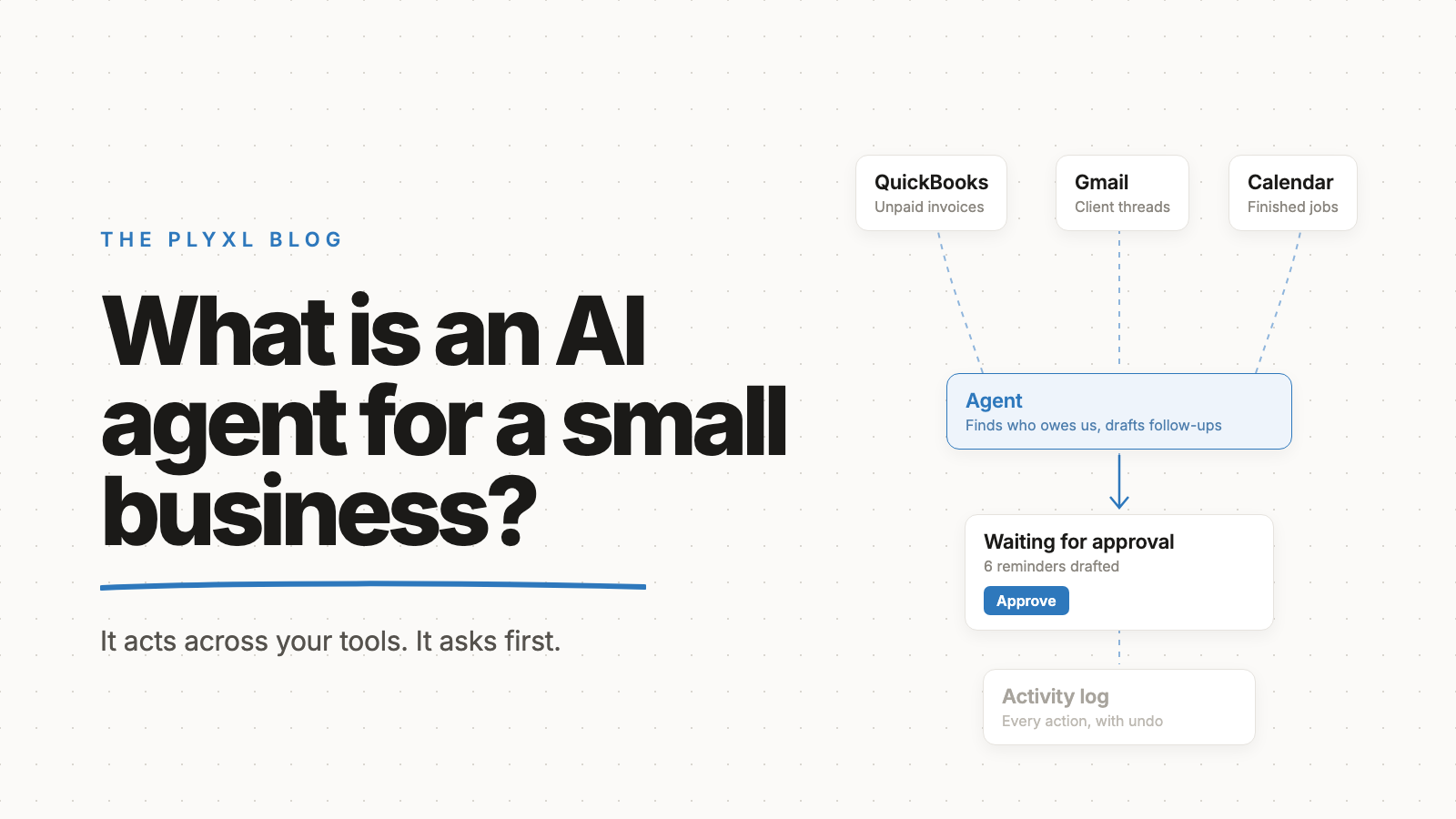
An AI agent for a small business is software that takes a goal in plain language, decides which steps to take, and carries them out across the tools the business already uses, like QuickBooks, Gmail, and Google Calendar. A chatbot answers; an agent acts. A fixed automation follows the same steps every time; an agent chooses its steps based on what it finds.
That flexibility is what makes agents useful for messy, multi-tool work, and it is also what makes them risky. Below is a plain definition, what an agent can and cannot do safely, a comparison with chatbots and automations, and why approval and an activity log matter more than anything else.
What is an AI agent, in plain terms?
An AI agent is a language model that is allowed to use tools and decide its own next step until a goal is reached. Given "find every customer who has not paid in 30 days and draft each one a reminder," an agent looks up invoices, reads the customer list, writes the drafts, and reports back.
Anthropic's engineering guide Building effective agents, by Erik Schluntz and Barry Zhang, draws the line clearly. Workflows are systems where the model and tools follow predefined code paths. Agents are systems where the model directs its own process and tool use. The guide also names the tradeoff directly: "The autonomous nature of agents means higher costs, and the potential for compounding errors."
For a small business owner, the practical definition is simpler. An agent is a capable assistant with logins to your tools, which is exactly why it needs supervision.
How is an AI agent different from a chatbot or an automation?
An AI agent differs from a chatbot because it takes actions, and from an automation because it chooses its own steps. The three are often sold under the same label, so the difference is worth getting straight before buying anything.
| Chatbot | Automation | AI agent | |
|---|---|---|---|
| What it does | Answers questions | Runs fixed steps on a trigger | Plans and takes steps toward a goal |
| Touches your tools? | Usually not | Yes, in set ways | Yes, in ways it chooses |
| Handles irregular cases? | Only in conversation | No, breaks or skips | Yes, within limits |
| Predictability | High | Very high | Lower |
| Example | "What does net 30 mean?" | "When an invoice is 7 days overdue, email a reminder." | "Sort out who still owes us money and draft the follow-ups." |
| Main risk | Wrong answer | Runs on bad data repeatedly | Takes a wrong action no one asked for |
Most small businesses need all three at different times. Repeated, identical tasks belong in automations. One-off tasks that cross several tools and need some judgment about what to look at are where an agent earns its keep.
What can an AI agent do safely for a small business?
An AI agent can safely do work that gathers, organizes, and drafts, because a person can check the result before it matters. Reading and summarizing are low risk. Drafting is low risk if nothing sends without review.
Good first tasks for a business agent:
- Pull together scattered information. "What do we know about the Hendersons' account?" across Gmail threads, QuickBooks invoices, and calendar history.
- Prepare a batch of drafts. Reminder emails, quote follow-ups, or a list of clients missing documents.
- Reconcile two tools. "Which customers are in HubSpot but not in QuickBooks?"
- Answer questions about the business. "How much did we invoice in September, and how much of it is still open?"
- Clean up records. Flag duplicate contacts or invoices with no customer email, and propose fixes.
In every case the agent does the tedious part and a person makes the call.
What should an AI agent not do on its own?
An AI agent should not send money, delete records, or send messages to customers without a person approving first. Those actions are hard to reverse and expensive to get wrong, and an agent that chooses its own steps will occasionally choose a wrong one.
There is a second reason, and it is about security. Programmer Simon Willison describes the lethal trifecta for AI agents: an agent that has access to private data, is exposed to untrusted content, and can communicate externally can be tricked by instructions hidden in that content into leaking the data. A business agent reading customer email has all three by design. An inbound email could contain text written to manipulate the agent, and the agent cannot always tell the difference between data and instructions.
The defense that works for a small business is not to avoid agents. It is to make sure nothing leaves the business, and nothing changes in it, until a person has looked.
Why do approval and audit logs matter for an AI agent?
Approval and audit logs matter because they turn an agent's mistakes from silent damage into something a person can see, stop, and reverse. Approval catches a wrong action before it happens. The log shows what happened afterward. Undo fixes what slipped through.
Three things to require from any agent a business connects to its tools:
- Approval before action. The agent proposes; a person approves. Drafts stay drafts until someone clicks.
- An activity log. Every action recorded with what was done, in which tool, and why.
- Undo. A wrong change to a customer record or invoice can be rolled back from the log, not rebuilt by hand.
A vendor that cannot show all three is asking the business to trust the agent blindly. Trust should be earned run by run, with approval loosened only for tasks that have proven reliable.
What does an AI agent look like in practice?
In practice, a small business agent spends most of its time preparing work for a person to approve. Three illustrative examples, each a typical business rather than a specific customer:
- A 12-person HVAC company. The office manager asks the agent which jobs finished last week have not been invoiced. The agent compares completed appointments in Google Calendar against invoices in QuickBooks, lists the gaps, and drafts the missing invoices. The office manager reviews each draft, fixes one part number, and approves the rest.
- An eight-person bookkeeping firm. Before month-end, a partner asks the agent to find every client still missing bank statements. The agent checks the shared client folder and recent Gmail threads, then drafts one short email per client listing exactly what is missing. The partner approves the batch, and the activity log shows each email that went out.
- A six-person landscaping company. The owner asks for a list of customers who booked spring cleanups last year but have not booked this year. The agent pulls the list from QuickBooks and the calendar and drafts a short rebooking note for each. The owner deletes two names, and approves the rest from a phone. Nothing went out until the owner had read it.
None of these required new software. Each agent worked on top of tools the business already paid for, which is the idea behind a business workspace.
How does a small business start using an AI agent?
A small business starts using an AI agent by connecting a few core tools and giving the agent read-only questions first. Connect QuickBooks or Xero, Gmail, and the calendar through each tool's own sign-in, then ask questions the business already asks every week.
Once the answers are reliable, move to drafting with approval on. Only after a task has run cleanly many times is it worth considering less supervision, and actions involving money should keep approval permanently. The connections list shows which tools connect today.
Plyxl is a business workspace: connect the tools your business runs on, then build the software you need on top. Its agent works across every connected tool, asks for approval before anything runs, and records every action in an activity log with undo. The Free plan needs no card, and pricing has the details. Start at plyxl.com, connect one tool, and ask the agent the question you answer by hand every Monday.
Frequently asked questions
Is an AI agent the same as a chatbot?
No. A chatbot answers questions in a conversation. An AI agent takes actions in other tools, like drafting an email in Gmail or updating a customer in QuickBooks, to reach a goal it was given.
Is an AI agent the same as an automation?
No. An automation follows the same fixed steps every time it runs. An AI agent decides which steps to take based on what it finds, which makes it better at irregular work and harder to predict.
Can an AI agent send emails or pay bills on its own?
It can if it is given that access, which is why it should not be at first. A safe setup has the agent draft emails and prepare payments, then wait for a person to approve them before anything is sent or paid.
Does a small business need a developer to use an AI agent?
No. A small business can use an agent inside a business workspace by connecting its tools with their normal sign-ins and describing tasks in plain language. No code is involved.
What is the biggest risk of an AI agent?
The biggest risk is an agent acting on bad instructions or bad data without anyone noticing. Approval before actions, a complete activity log, and undo turn that risk into something a person can catch and reverse.