Is it safe to connect your business tools to one workspace?
Written by Mitch Crevier and Aarush Bhardwaj
7 min read
TL;DR
Connecting business tools to one workspace is safe when the workspace never holds your passwords, only asks for the access it needs, waits for a person to approve anything it sends or changes, and records every action where it can be reviewed and reversed. The risk is not the act of connecting. The risk is a vendor that connects with broad, silent, unlogged access, so the questions to ask are about access, approval, and the record.
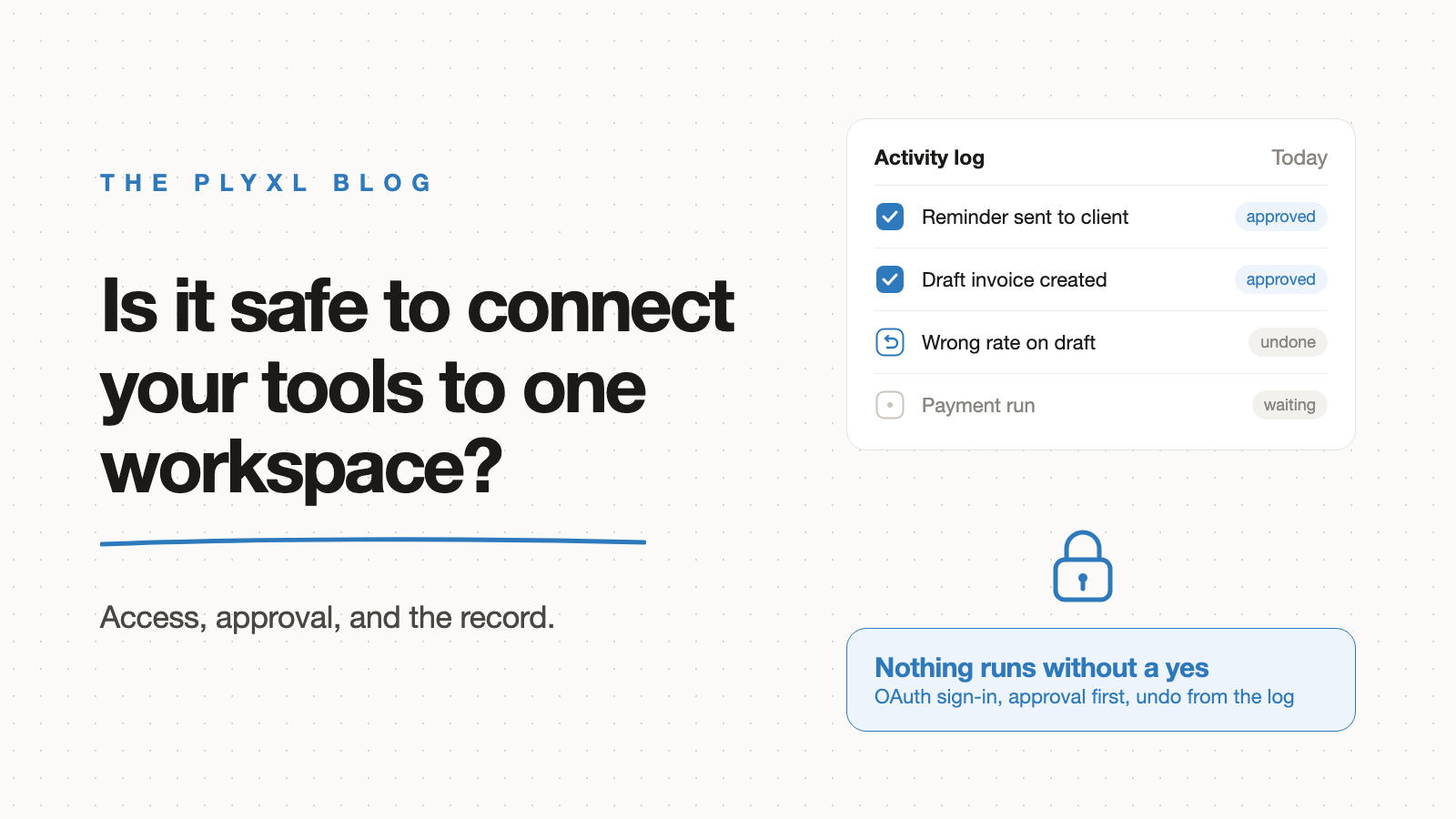
Connecting your business tools to one workspace is safe when the workspace never holds your passwords, only asks for the access it needs, waits for a person to approve anything it sends or changes, and records every action where it can be reviewed and reversed. The risk is not connecting tools. The risk is a vendor that connects with broad, silent, unlogged access.
Below is what makes a connection safe, what a workspace can and cannot do once connected, and a checklist of what to demand from any vendor before connecting QuickBooks, Gmail, or anything else.
How does connecting a tool to a workspace actually work?
Connecting a tool to a workspace works through OAuth: you sign in on the tool's own page, approve a list of permissions, and the tool hands the workspace a limited access token instead of your password. The password never leaves QuickBooks, Google, or Xero.
OAuth exists because the older approach was dangerous. The OAuth 2.0 standard (RFC 6749), edited by Dick Hardt and published by the IETF in 2012, lists the problems with giving a third party your password: the third party has to store it, gets overly broad access, and cannot be cut off without changing the password for everyone. Under OAuth, a third party receives an access token tied to a specific scope and lifetime, issued with the account owner's approval.
In practice, that means a business can connect Gmail to a workspace and disconnect it later without touching the Gmail password or any other app that uses it.
What are the real risks of connecting business tools?
The real risks of connecting business tools are too much access, actions nobody approved, and no record of what happened. A connection itself is not the danger; what the connected software is allowed to do with it is.
- Overly broad access. A tool that asks to read and change everything when it only needs to read invoices has more reach than the job requires.
- Silent actions. Software that sends emails or edits records without anyone seeing first can make a mistake at scale before a person notices.
- No record. If nothing is logged, nobody can tell what changed, when, or why, and nothing can be put back.
- Forgotten connections. A tool connected two years ago for one project, still holding access, is a door nobody remembers is open.
These risks apply to any connected software, from a Zapier zap to a reporting add-on to an AI agent. The AI agent post covers why the second risk matters most once software can choose its own steps.
Why does least privilege matter for a business workspace?
Least privilege matters for a business workspace because it limits how much damage any one mistake can do. Jerome Saltzer and Michael Schroeder named the principle in their 1975 paper The Protection of Information in Computer Systems: every program and user "should operate using the least set of privileges necessary to complete the job." They noted that the principle primarily limits the damage from an accident or error.
For a small business, least privilege is concrete. An app that tracks which clients still owe documents needs to read the client list and the shared folder. It does not need to send payments. A business workspace should show, for every app and every connection, what it reads and what it can change, so the owner can see the reach before approving it.
What should you demand from any workspace vendor?
Demand five things from any workspace vendor before connecting a business tool: OAuth connections, visible scope, approval before action, a complete activity log, and undo. A vendor missing one of them is asking for trust it has not earned.
| What to demand | What good looks like | Warning sign |
|---|---|---|
| How tools connect | OAuth sign-in on the tool's own page | Asks you to type your QuickBooks or Gmail password into its site |
| Scope of access | Shows what each app reads and what it can change | One blanket "full access" request for everything |
| Approval before action | Nothing is sent, paid, or changed until a person approves | Acts first and reports afterward |
| Activity log | Every action recorded, with who approved it and when | Logs only errors, or no log at all |
| Undo | Reversible changes can be rolled back from the log | Mistakes must be fixed by hand in each tool |
| Disconnecting | One click in the workspace, or revoke from the tool's own settings | Access only ends by changing your password |
The same checklist works for any software that touches business accounts, not just workspaces. It is worth running against the add-ons and integrations a business already has, since SaaS sprawl tends to leave old connections behind.
Is connecting tools safer than migrating to one system?
Connecting tools is not automatically safer than migrating, but connecting avoids the single biggest exposure of a migration: copying every record into a new system at once. A connected workspace reads what an app needs from tools the business already trusts, and the source of truth stays where it was.
A migration also moves the data into a vendor's database and makes that vendor's security the only thing standing between the business and a breach. Connecting keeps QuickBooks, Google, and Xero in charge of their own data and their own sign-in. The connect vs migrate post covers the broader tradeoff.
What does this look like in practice?
In practice, a safe connection is boring: the owner sees what software will touch, approves it, and can check the log later. Three illustrative examples, each a typical business rather than a specific customer:
- An eight-person bookkeeping firm connects QuickBooks and Gmail to build a missing-documents tracker. Before approving, a partner sees that the tracker reads client records and drafts emails but cannot change anything in QuickBooks. Each reminder waits for approval, and the activity log shows which client got which email.
- A 12-person HVAC company wants finished jobs turned into draft invoices. The office manager connects Google Calendar and QuickBooks, approves an app that can create draft invoices only, and reviews each draft before it is sent. When one draft has the wrong rate, the office manager undoes it from the log instead of hunting for it in QuickBooks.
- A landscaping company stops using a reporting add-on it connected years ago. The owner revokes its access from the Google account's security settings and the add-on loses access immediately. No password change, and nothing else breaks.
How do you connect your first tool safely?
Connect one tool first, with an app that only reads, and check the activity log after a week before granting anything that can change records. Start with the tool your team re-types from most often, usually QuickBooks or Gmail, and confirm it appears on the connections list.
Plyxl is a business workspace: connect the tools your business runs on, then build the software you need on top. Tools connect with one OAuth sign-in, nothing is sent or changed without approval, and every action lands in an activity log with undo on reversible changes. The Free plan needs no card, and pricing has the details. Start at plyxl.com, connect one tool, and read the log before you connect the next.
Frequently asked questions
Is it safe to connect my business tools to one workspace?
It is safe when the workspace connects through OAuth instead of your passwords, asks a person to approve anything it sends or changes, and keeps a full activity log with undo. Those three controls are what to check before connecting anything.
Does a workspace get my QuickBooks or Gmail password when I connect?
Not with OAuth. You sign in on the tool's own page, and the tool gives the workspace an access token with a limited scope. The workspace never sees the password.
Can I disconnect a tool later?
Yes. An OAuth connection can be revoked from the workspace or from the connected tool's own security settings, and revoking it does not require changing your password or affect other apps.
What should I ask a vendor before connecting my business tools?
Ask how it connects, what access it requests, whether anything runs without approval, what the activity log records, and what undo covers. A vendor that cannot answer all five plainly is not ready for your accounts.
Is connecting tools riskier than migrating everything into one system?
Not inherently. Migrating copies all your data into a new system at once, while connecting reads what is needed from tools you already trust. Either is only as safe as the access controls around it.