What is SaaS sprawl?
Written by Mitch Crevier and Aarush Bhardwaj
7 min read
TL;DR
SaaS sprawl is subscription software accumulating in a business faster than anyone is managing it: tools bought one at a time, by different people, for one problem each, that do not know about each other. It happens because every purchase is a reasonable answer to a real problem and nobody owns how the answers fit together. At ten employees it looks like eight or more tools plus a spreadsheet holding the gaps. The fix is not migrating to one suite; it is keeping the tools that work, cutting the ones nobody uses, and connecting the rest in one workspace.
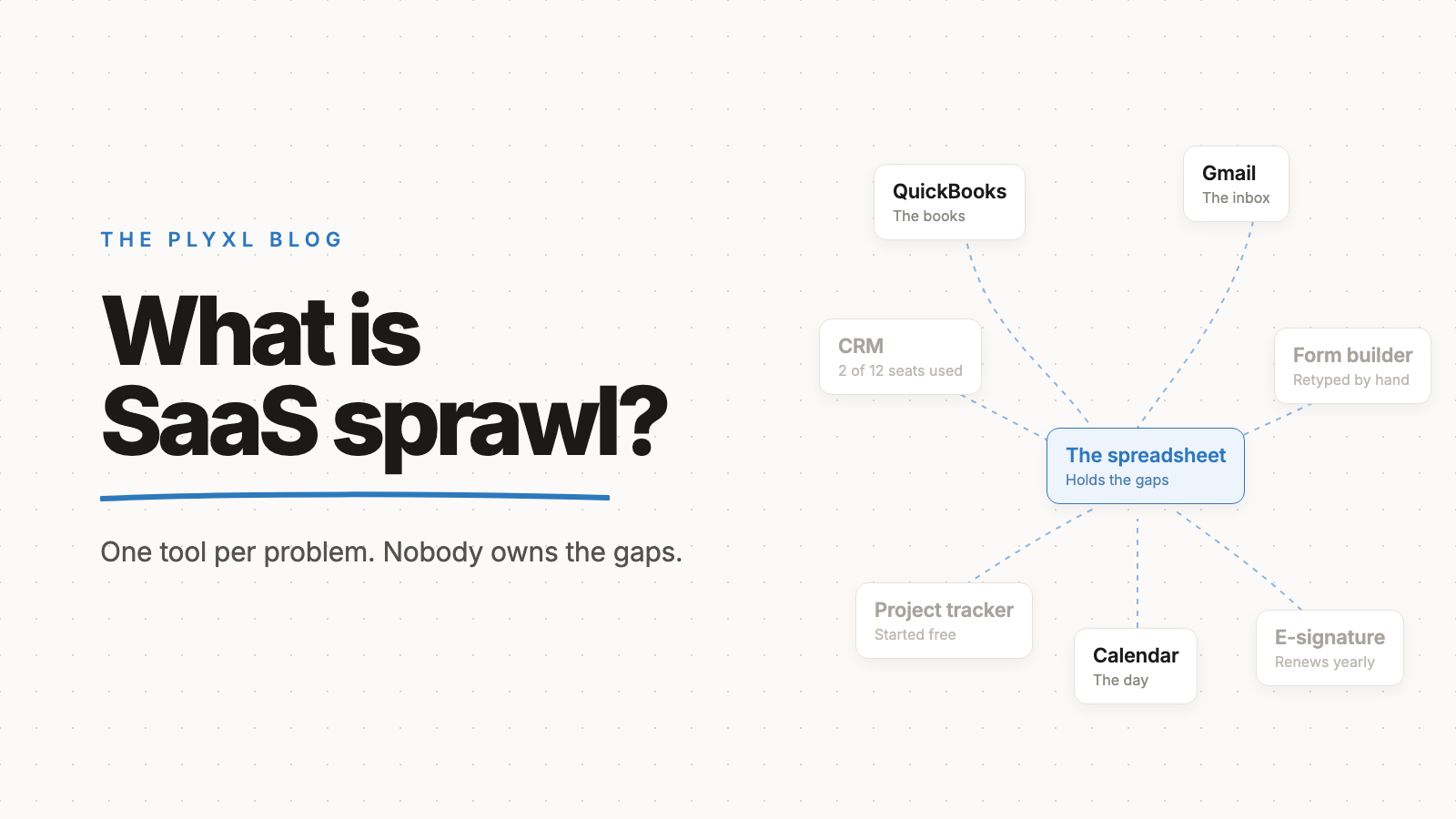
SaaS sprawl is subscription software accumulating in a business faster than anyone is managing it: tools bought one at a time, by different people, for one problem each, that do not know about each other. It is not the same as having a lot of software. A business with many tools that share data has no sprawl problem; a business with a handful of tools that someone retypes between every day does.
This post defines SaaS sprawl, explains how it happens, shows what it looks like at a ten-person company, and lays out how to unwind it without migrating anything.
What is SaaS sprawl, exactly?
SaaS sprawl is the condition where a business pays for more subscription software than it manages, and the tools it relies on do not share information. The term combines two problems: too many subscriptions, and too little connection between them. The first shows up on the card statement. The second shows up as people carrying data between tools by hand.
Every subscription in a sprawled stack was a sensible purchase on the day it was bought. A scheduling tool fixed double bookings. A form builder replaced paper intake sheets. A CRM promised to stop leads falling through the cracks. Sprawl is what those individual answers add up to after a few years, when nobody was responsible for how they fit together.
How does SaaS sprawl happen?
SaaS sprawl happens because buying software became easier than deciding about software. A subscription takes a card and five minutes, needs no IT department, and usually starts on a free plan. So tools arrive the way problems do: one at a time, chosen by whoever had the problem.
Four patterns drive most of it:
- One tool per problem. Each new pain gets its own app, and nobody checks whether an existing tool already covers it.
- Free plans that quietly convert. A tool adopted by one person on a free tier becomes a paid team plan a year later, renewing on a card nobody reviews.
- People leave, subscriptions stay. The person who set up the project tracker moves on, and the tool keeps billing with nobody using it.
- Gaps get filled with spreadsheets. When two tools cannot share information, someone builds a spreadsheet to hold what neither knows, and the spreadsheet becomes the real system.
The scale of the pattern is best measured at larger companies, because they are the ones who count. Zylo's 2026 SaaS Management Index, built on spend data from its customers, puts the average company's portfolio at 305 applications. A small business has a fraction of that, and the same mechanism.
What does SaaS sprawl look like at a ten-person business?
At a ten-person business, SaaS sprawl looks like eight or more subscriptions, a spreadsheet that holds the gaps between them, and one person who knows how it all fits together. A typical stack:
- QuickBooks for the books
- Gmail and Google Calendar for the day
- A CRM that two people use and the rest ignore
- A scheduling or booking tool
- A form builder for intake
- A project tracker that started free
- An e-signature tool used a few times a month
- A shared spreadsheet that is, in practice, the source of truth
Nothing in that list is unreasonable. The sprawl is in the spaces between: a new customer typed into the form builder, then the CRM, then QuickBooks; a job status that lives in the spreadsheet because no tool holds the whole picture; a question like "who owes us money this month" that takes four tabs to answer.
How is SaaS sprawl different from related problems?
SaaS sprawl is related to shadow IT, tool overlap, and technical debt, but it is the broadest of the four: it describes the whole stack, not one bad purchase.
| Term | What it means | What causes it | Typical fix |
|---|---|---|---|
| SaaS sprawl | Too many disconnected subscriptions, managed by nobody | Tools bought one problem at a time | Cut unused tools, connect the rest |
| Shadow IT | Software bought without whoever manages technology knowing | Easy sign-ups, no approval process | A named owner and a subscription list |
| Tool overlap | Two subscriptions doing the same job | Two people solving one problem separately | Pick one and cancel the other |
| Technical debt | Shortcuts in built systems that make later changes harder | Speed over structure | Rework the system over time |
At a small business with no IT department, nearly all sprawl starts as shadow IT by default, and tool overlap is one of its symptoms.
Why does SaaS sprawl matter for a small business?
SaaS sprawl matters because its largest cost is the hours people spend acting as the connection between tools, not the subscriptions. The full breakdown is in what SaaS sprawl costs a small business, but the core finding comes from a Harvard Business Review study by Rohan Narayana Murty, Sandeep Dadlani, and Rajath B. Das. Tracking 137 workers at three Fortune 500 companies, they found people switched between apps and websites nearly 1,200 times a day and lost just under four hours a week reorienting.
Those were large companies. At a small business, the person switching is often the owner, whose hours are the scarcest in the building.
How do you unwind SaaS sprawl without migrating?
You unwind SaaS sprawl without migrating by keeping the tools that do their job, cancelling the ones nobody uses, and connecting what remains so information stops travelling by hand. Migration is the fix most businesses imagine and the one they put off for years, because moving records into a new system is a project in itself.
- List every subscription. Pull twelve months of card statements, including annual charges, and write down what each tool is for and who owns it.
- Cancel what nobody uses. Compare seats paid for with people who logged in last month. Tools with no recent logins go first.
- Name an owner. One person keeps the list current and approves new tools.
- Find the retyping. Note every place someone copies information from one tool into another. Those are the connections that matter.
- Connect, don't replace. Put a business workspace on top of the tools you keep, so the data stays where it lives and the work happens in one place. The case for that approach is laid out in business workspace vs all-in-one software.
What does unwinding SaaS sprawl look like in practice?
In practice, unwinding SaaS sprawl means fewer subscriptions, no spreadsheet in the middle, and the same core tools as before. Three illustrative examples, each a typical small business rather than a specific customer:
- A 12-person HVAC company finds its CRM has two active users out of twelve seats and cancels it. It connects Google Calendar and QuickBooks to a workspace and describes a dispatch board in one sentence. The whiteboard and the morning phone calls go away.
- An eight-person bookkeeping firm keeps QuickBooks Online, which is the business, and retires the master spreadsheet one partner maintained. A client status tracker built from a description replaces it, reading straight from QuickBooks.
- A six-person landscaping company cancels a duplicate invoicing tool and connects its form builder and Gmail. When a form comes in, an automation drafts the welcome email and creates the customer, and nothing runs until someone approves it.
Where should you start?
Start with the tool where the most retyping happens, because that is where sprawl costs the most hours. The connections list covers QuickBooks, Xero, Gmail, Outlook, Google Calendar, Shopify, Stripe, and HubSpot, each connected through its own sign-in, and what a business workspace is explains how the layer on top works.
Plyxl is a business workspace: connect the tools your business runs on, then build the software you need on top. The Free plan needs no card, and pricing has the details. Start at plyxl.com, connect one tool, and ask for the first thing you wish existed.
Frequently asked questions
What is the difference between SaaS sprawl and shadow IT?
Shadow IT is software bought without the knowledge of whoever manages technology. SaaS sprawl is the broader result: too many disconnected subscriptions, whether anyone approved them or not. At a small business with no IT department, almost all sprawl starts as shadow IT by default.
How many tools is too many for a small business?
There is no safe number. A business with six tools that share data has no sprawl problem, and a business with six tools that someone retypes between every day does. The test is how much information people carry by hand, not the count.
Is SaaS sprawl the same as having too many subscriptions?
Not quite. Too many subscriptions is the visible symptom. SaaS sprawl also includes the disconnection between the tools a business needs, which is why cancelling subscriptions alone rarely fixes it.
Can SaaS sprawl be fixed without changing software?
Yes. Most of the fix is cutting tools nobody uses and connecting the ones the business relies on, so data stops being carried between them by hand. None of that requires moving records out of QuickBooks, Gmail, or any other tool that does its job.
Who should own the software stack at a small business?
One named person, usually the owner or office manager, with a simple list of every subscription, what it is for, and who uses it. Sprawl grows wherever nobody is responsible for how the tools fit together.