Is it bad to run a business on spreadsheets?
Written by Mitch Crevier and Aarush Bhardwaj
7 min read
TL;DR
Running a small business on spreadsheets is not bad, and for a new business it is often the right call. Spreadsheets are flexible, cheap, and understood by everyone. They start to break in three places: when several people work in the same sheet at once, when the business needs to know who changed what and why, and when work should happen on its own instead of waiting for someone to update a cell. The fix is rarely to throw the spreadsheet away. It is to keep it for what it does well and move the breaking parts into software built for them.
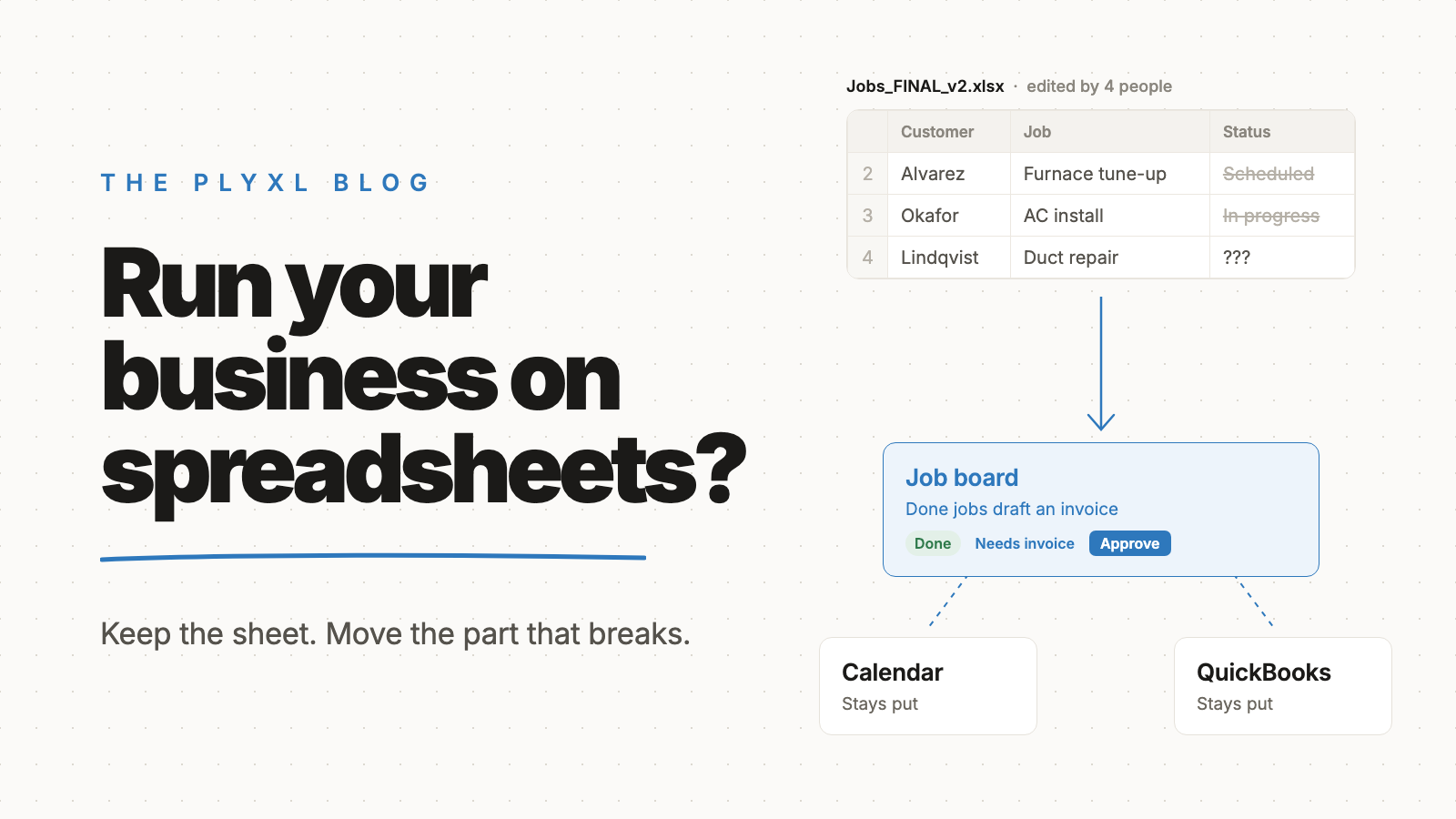
Running a small business on spreadsheets is not bad, and for a new business it is often the right call. Spreadsheets break in three specific places: when several people work in the same sheet, when the business needs a reliable history of who changed what, and when work should happen without someone updating a cell. The answer is rarely to abandon the spreadsheet. It is to move the parts that break into software built for them.
Below is what spreadsheets do well, where they fail, how they compare with the alternatives, and what a sensible next step looks like.
Why do so many small businesses run on spreadsheets?
Small businesses run on spreadsheets because a spreadsheet is the most flexible business tool most people already know how to use. Excel and Google Sheets cost little or nothing, need no setup, and can model almost anything: a job list, a price sheet, a payroll estimate, a customer log.
That flexibility is a real advantage. A new landscaping company does not know yet what its process should look like, and a spreadsheet lets the owner change the process every week without asking anyone. Buying specialized software too early locks a business into someone else's idea of how it works.
So the question is not whether spreadsheets are good. It is whether a particular spreadsheet has quietly become the system the business depends on.
Where do spreadsheets break down for a growing business?
Spreadsheets break down in three places: multiplayer work, history, and anything that should happen on its own. Each is fine to ignore with two people and painful with ten.
Multiplayer. A spreadsheet has no idea who is supposed to do what. Two people sort the same sheet, someone pastes over a formula, a filter left on hides half the rows from the next person. Google Sheets made simultaneous editing possible, but it did not add roles, required fields, or rules about which column a dispatcher can change and which only the owner can.
History. A spreadsheet records values, not decisions. Version history can show that a cell changed, but not why the quote went from one price to another or who approved it. When a customer disputes an invoice, the business needs that answer quickly, and scrolling through version history rarely gives it.
Things that should happen on their own. A spreadsheet only changes when a person changes it. If a job is marked done in column F, nothing sends the invoice. If a client's documents are overdue, nothing reminds them. Every one of those steps depends on someone remembering, and the work happens late or not at all when that person is busy.
How common are spreadsheet errors?
Spreadsheet errors are very common, including in spreadsheets businesses rely on every day. Raymond Panko, a University of Hawaii researcher who has collected spreadsheet error studies for decades, summarizes the field audits on his spreadsheet research site. The five studies with the strongest methods examined 55 operational spreadsheets and found important errors in 91% of them. Panko also notes that people checking spreadsheets for mistakes catch only part of the errors present, so audits likely undercount.
Spreadsheet limits cause failures too. In October 2020 the BBC reported that nearly 16,000 coronavirus cases went unreported in England because Public Health England had loaded test results into Excel templates using the old XLS format. Each template held only about 65,000 rows, and cases past that limit were simply left off. Nobody typed a wrong number. The tool was asked to be a system it was never designed to be.
A small business will not lose 16,000 records. But the same pattern, a spreadsheet stretched past its job, shows up as a missed invoice or a job nobody scheduled.
How do spreadsheets compare with other options?
Spreadsheets win on flexibility and cost, while purpose-built software wins on teamwork, history, and work that runs on its own. The table compares the common choices.
| Spreadsheets | Off-the-shelf software | Custom app on connected tools | |
|---|---|---|---|
| Setup | Minutes | Days to weeks, plus migration | Built from a description |
| Fits your process | Exactly, until it grows | You adapt to the vendor | Exactly, and can change |
| Several people editing | Fragile; no roles or rules | Built in | Built in |
| History of changes | Cell versions, no reasons | Usually logged | Every action logged |
| Work happens on its own | No | Within the vendor's features | Yes, with approval first |
| Connects to QuickBooks, Gmail | Manual export and paste | Sometimes, via add-ons | Through each tool's sign-in |
| Best for | Analysis, lists, early days | Standard processes | Processes unique to the business |
Off-the-shelf software usually means a migration, which carries its own risk. The connect vs migrate post explains why moving everything into a new platform is often the expensive way to fix a spreadsheet problem.
What does moving off spreadsheets look like in practice?
In practice, moving off spreadsheets means taking one breaking process out of the sheet and leaving everything else alone. Three illustrative examples, each a typical business rather than a specific customer:
- A 12-person HVAC company. Jobs lived in a shared Google Sheet with a "status" column that was usually out of date, and finished jobs sat for days before anyone invoiced them. The owner built a small job board on top of Google Calendar and QuickBooks. When a technician marks a job done, a draft invoice appears for the office manager to approve. The old sheet stays as an archive.
- An eight-person bookkeeping firm. Client document requests were tracked in Excel, one row per client per month, and chasing them depended on one staff member's memory. The firm built a client status tracker connected to Gmail and QuickBooks Online that shows who still owes documents and drafts reminder emails for review.
- A six-person landscaping company. Quotes were calculated in a spreadsheet the owner trusted completely. That spreadsheet stayed. What moved was the request list, which had been retyped from a website form, into a simple tracker fed directly by the form.
In each case the spreadsheet kept the job it was good at. More ideas for first steps are in what to automate first.
How do you know your spreadsheet has become a problem?
A spreadsheet has become a problem when the business depends on it and nobody fully trusts it. Common signs:
- Files named "final", "final v2", and "USE THIS ONE".
- A status column that is wrong often enough that people ask in person instead.
- Questions like "who changed this?" with no clear answer.
- Tasks that only happen when one specific person remembers.
- Data copied by hand from the sheet into QuickBooks, Gmail, or a calendar.
One or two of these is normal. Three or more on a sheet the whole team uses means that sheet is doing the job of software. The SaaS sprawl post covers the opposite failure, where a business buys a new tool for every such sheet.
What is the best next step for a business running on spreadsheets?
The best next step is to pick the one spreadsheet that causes the most trouble and replace only the process inside it. Keep the spreadsheets that are lists or analysis. Move the shared process, the one with a status column and a person who chases it, into an app connected to the tools the business already uses.
Plyxl is a business workspace: connect the tools your business runs on, then build the software you need on top. Tools connect with one OAuth sign-in, an app is built from a plain description in about a minute, nothing runs without approval, and every action lands in an activity log with undo. The Free plan needs no card, and pricing has the details. Start at plyxl.com and rebuild the one spreadsheet everyone argues about.
Frequently asked questions
Is it bad to run a business on spreadsheets?
No, not at first. Spreadsheets are a good starting point for a small business. They become a problem when several people edit the same sheet, when the business needs a reliable history of changes, or when work depends on someone remembering to update a cell.
How common are spreadsheet errors?
Common. Raymond Panko's review of spreadsheet audits found important errors in 91% of the 55 operational spreadsheets examined in the five most rigorous studies.
What should a small business use instead of spreadsheets?
Usually not one replacement. Keep the accounting in accounting software like QuickBooks or Xero, keep simple lists in spreadsheets, and move shared, multi-step processes like job tracking or client status into a small app built for that process.
Do I have to stop using Google Sheets or Excel?
No. Spreadsheets stay useful for analysis, one-off lists, and quick math. The goal is to stop using them as the system of record for processes several people depend on.
How do I know a spreadsheet has become a problem?
Common signs are a column called "status" that is often wrong, copies named "final v2", people asking each other who changed a number, and tasks that only happen when one person remembers them.