How do you know your business has outgrown off-the-shelf software?
Written by Mitch Crevier and Aarush Bhardwaj
8 min read
TL;DR
A business has outgrown off-the-shelf software when its people spend more time working around the tools than in them: re-typing the same data into two systems, keeping a spreadsheet to bridge tools that do not talk, and relying on one person who knows the workarounds. Outgrowing a tool rarely means replacing it. Usually the tools are fine at their own jobs and the gaps between them are the problem, and those gaps can be filled with small software built on top of what the business already uses.
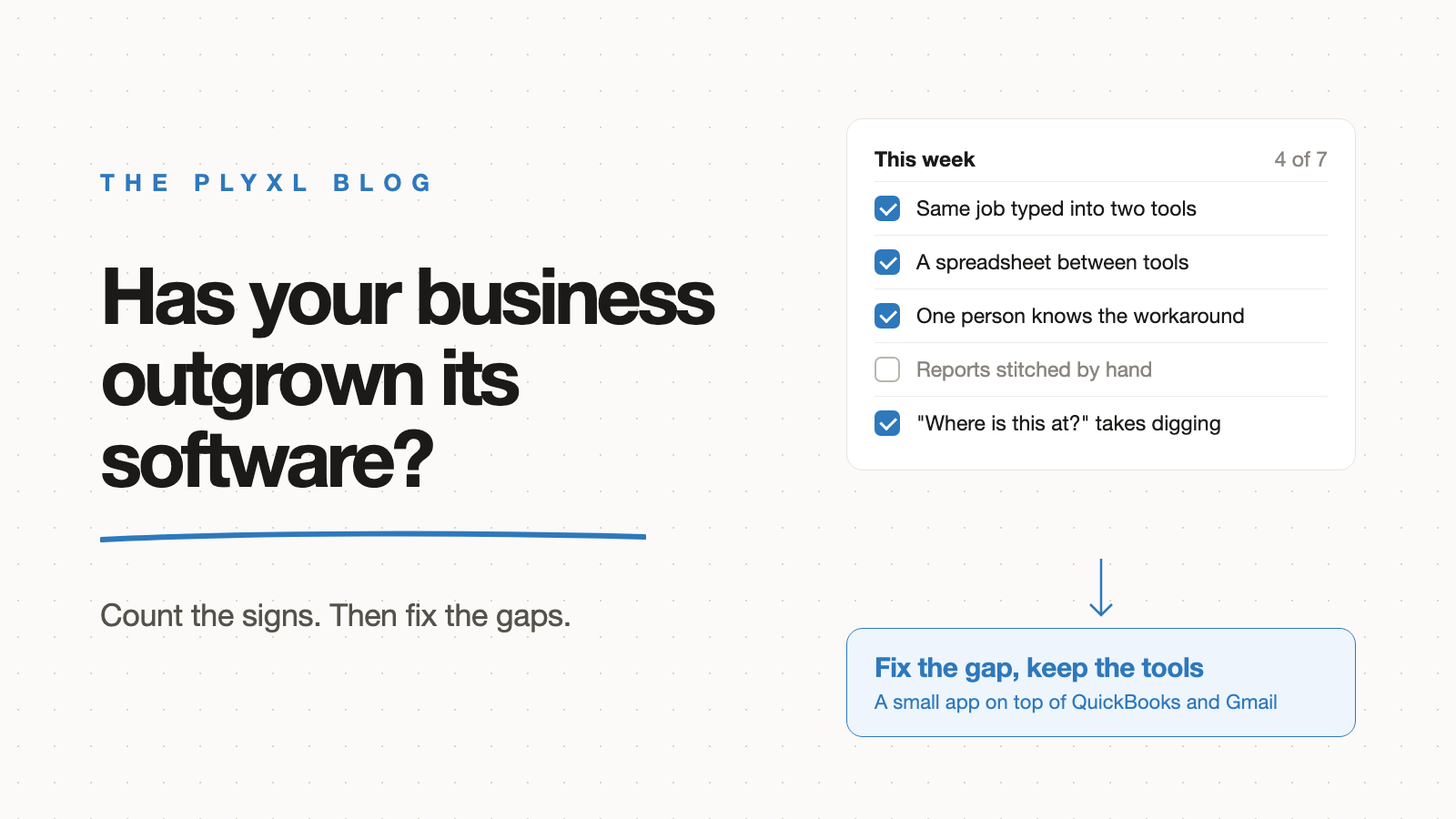
A business has outgrown off-the-shelf software when its people spend more time working around the tools than working in them. The clearest signs are re-typing the same data into two systems, a spreadsheet that exists only to bridge tools that do not talk to each other, and workarounds that live in one person's head. Outgrowing a tool rarely means replacing it: usually each tool is fine at its own job, and the gaps between the tools are what need software.
Below is a checklist of the signs, the signs that are false alarms, and what to do once several of them are true.
What are the signs a business has outgrown off-the-shelf software?
The signs a business has outgrown off-the-shelf software are mostly about time spent between tools, not inside them. Go through the list and count how many describe a normal week.
- The same data gets typed twice. A job is entered in the calendar, then again in QuickBooks as an invoice, then again in an email to the customer.
- A spreadsheet sits between two tools. Nobody would design a business around it, but the spreadsheet is the only place where the CRM and the accounting system meet.
- One person knows the workarounds. When the office manager is on vacation, invoices go out late because only they know the export-and-paste routine.
- "Where is this at?" takes digging. Answering a customer or a partner means opening three tools and an inbox search.
- A new subscription was bought for one feature. The business pays for another tool because the ones it has do almost everything, except the one step it needs.
- Reports are assembled by hand. The monthly numbers come from exporting several tools and stitching the exports together.
- The process the business is known for fits no product. The way the business quotes, schedules, or onboards clients is part of why customers pick it, and every product forces it into someone else's shape.
One or two of these is normal for any business. Four or more, every week, means the software no longer fits how the business works.
Why do spreadsheets show up when software stops fitting?
Spreadsheets show up when software stops fitting because a spreadsheet is the fastest way to hold data that no tool was built to hold. That makes the bridge spreadsheet the single most reliable sign that a business has outgrown its tools.
The risk is that bridge spreadsheets are fragile. Raymond Panko, a University of Hawaii researcher who has collected spreadsheet error studies for decades, summarizes the field audits on his spreadsheet research site. The five studies with the strongest methods examined 55 operational spreadsheets and found important errors in 91% of them. A spreadsheet that copies data out of QuickBooks and Gmail by hand adds a new place for those errors to start. The spreadsheets post covers where spreadsheets work well and exactly where they break.
What does re-typing between tools actually cost?
Re-typing between tools costs a business the time of the task plus the time it takes to switch tools and find your place again. The switching part is easy to miss because no one logs it.
A Harvard Business Review study by Rohan Narayana Murty, Sandeep Dadlani, and Rajath B. Das tracked workers at three Fortune 500 companies and found they toggled between apps and websites nearly 1,200 times a day, losing just under four hours a week reorienting. A small business has fewer tools than a Fortune 500 company, but a job that is typed into three tools still means three switches every time.
Which signs are false alarms?
Some signs look like outgrowing software but are actually setup or training problems. Check these before spending money on anything new.
| What it looks like | Often the real cause | What to try first |
|---|---|---|
| "The tool can't do that" | A feature exists but nobody turned it on | Read the tool's settings and help pages, or ask the vendor |
| Staff avoid the tool | Nobody was shown how to use it | A short walkthrough for the team |
| Data is messy | No agreed way to enter it | Write down one way and stick to it |
| The tool feels slow | Too many old records or add-ons | Archive and remove what is unused |
| Two tools overlap | Bought at different times by different people | Pick one for each job and cancel the other |
| Data has to move between tools every week | The tools really do not connect | This one is a real sign: the gap needs software |
The last row is the one that setup cannot fix. When two tools that each work well have to share data by hand, the business has outgrown what those tools can do on their own.
What does this look like in practice?
In practice, outgrowing off-the-shelf software usually shows up as one painful handoff, not a broken system. Three illustrative examples, each a typical business rather than a specific customer:
- A 12-person HVAC company schedules jobs in Google Calendar and invoices in QuickBooks. The office manager checks finished jobs against invoices every Friday from a spreadsheet. Both tools work; the Friday spreadsheet is the sign. The fix is a small job board on top of both tools that turns a finished job into a draft invoice for approval.
- An eight-person bookkeeping firm tracks which clients still owe documents in a shared spreadsheet and chases them from Gmail. Two staff edit the sheet at once and reminders get missed. The firm keeps QuickBooks and Gmail and builds a missing-documents tracker that drafts the reminders.
- A landscaping company with two crews thinks it needs a whole new system because quotes take too long. On a closer look, the quote spreadsheet works fine; the slow part is copying website form requests into it. Only that step needs software.
In each case the business had outgrown the gap between its tools, not the tools. The accounting firm apps post has more examples built on QuickBooks.
What should a business do once it has outgrown its software?
A business that has outgrown its software should fix the gaps between its tools before replacing any of them. Replacing a tool that does its own job well means migrating data, retraining the team, and losing setup that already works. Joel Spolsky, later the co-founder of Stack Overflow, made the same argument about code in Things You Should Never Do, Part I: working software that looks messy is full of fixes for real problems, and starting over throws that knowledge away. The connect vs migrate post applies the idea to business tools.
The options, compared:
| Configure the tools you have | Add another subscription | Build a small app on top | Commission custom software | |
|---|---|---|---|---|
| Fixes data moving between tools | Rarely | Sometimes, by adding a tool | Yes | Yes |
| Upfront cost | Time only | Another monthly bill | Free plan available | Tens of thousands of dollars, usually |
| Time to working | Hours | Days, plus setup | About a minute per app, after connecting tools | Months |
| Data moves somewhere new | No | Often | No | Usually |
| Best for | False alarms from the table above | A whole job no current tool covers | The gaps between tools that work | Software that is the product you sell |
The custom software cost post has the sourced numbers behind the last column, and the buy vs build post explains which software is worth building at all.
How do you start fixing the gaps between your tools?
Start with the one handoff your team does by hand most often, usually a weekly re-typing job or a bridge spreadsheet. Check that the tools on both sides are on the connections list, describe the software that would remove the handoff in a sentence, and judge it on one week of real use before touching the next gap.
Plyxl is a business workspace: connect the tools your business runs on, then build the software you need on top. Tools connect with one OAuth sign-in, an app is built from a plain description in about a minute, nothing runs without approval, and every action lands in an activity log with undo. The Free plan needs no card, and pricing has the details. Start at plyxl.com and build software for the gap you counted first.
Frequently asked questions
How do you know your business has outgrown off-the-shelf software?
The clearest signs are staff re-typing the same data into two tools, a spreadsheet that exists only to bridge two systems, and workarounds that only one person understands. If several of these show up every week, the software no longer fits how the business works.
Does outgrowing off-the-shelf software mean I need custom software?
Not usually. Most of the time each tool still does its own job well and the trouble is in the gaps between tools. A small app built on top of those tools fixes the gap without replacing anything.
Should I switch to a bigger all-in-one system instead?
Switching means migrating data, retraining staff, and losing setup that already works. It makes sense when a core tool is failing at its own job, not when the tools are fine and only the handoffs between them hurt.
What is the first thing to fix when software stops fitting?
Fix the process your team handles by hand most often, usually a weekly re-typing job or a bridge spreadsheet. Build software for only that process, check that it works, then move to the next one.
Is a spreadsheet a sign my business needs custom software?
A spreadsheet on its own is not. A spreadsheet that several people edit at once, that copies data from other tools, or that someone must remember to update is a sign that part of the business needs proper software.